Fork Me on GitHub Fork This Site

MiniProfiler

A simple but effective mini-profiler for .NET and Ruby.

Download this project as a .zip file Download this project as a tar.gz file

A simple but effective mini-profiler for .NET and Ruby

Where do I get support?

Bugs, Feature Requests, Discussion and KB live at community.miniprofiler.com

Where is the current Ruby documentation?

See:Github and Sams blog post

What does it profile?

MiniProfiler does not attach itself to every single method call; that would be too invasive and wouldn't focus on the biggest performance issues. Instead, it provides:

Simple. Fast. Pragmatic. Useful.

What is included?

A single assembly, with an example ASP.NET and ASP.NET MVC project to show usage.

Getting Started

MiniProfiler , MiniProfiler.EF and MiniProfiler.MVC are available on nuget.

PM> Install-Package MiniProfiler

Write out our css and javascript includes just before closing the body tag:

@using StackExchange.Profiling;
<head>
 ..
</head>
<body>
  ...
  @MiniProfiler.RenderIncludes()
</body>

For requests that aren't being profiled, nothing will be written.

The sample project starts profiling in Global.asax.cs Application_BeginRequest:

using StackExchange.Profiling;
...    
protected void Application_BeginRequest()
{
    if (Request.IsLocal)
    {
        MiniProfiler.Start();
    } 
}

For the code you want to profile, use (regardless of whether the profiler is null or not):

using StackExchange.Profiling;
...
var profiler = MiniProfiler.Current; // it's ok if this is null
using (profiler.Step("Set page title"))
{
    ViewBag.Title = "Home Page";
}
using (profiler.Step("Doing complex stuff"))
{
    using (profiler.Step("Step A"))
    { // something more interesting here
        Thread.Sleep(100);
    }
    using (profiler.Step("Step B"))
    { // and here
        Thread.Sleep(250);
    }
}

You can make this as granular or high-level as you like; passing a MiniProfiler in as an optional argument (defaulting to null) to downstream methods works well.

Stop the profiler; the sample project does this in its Global.asax.cs:

protected void Application_EndRequest()
{
    MiniProfiler.Stop();
}

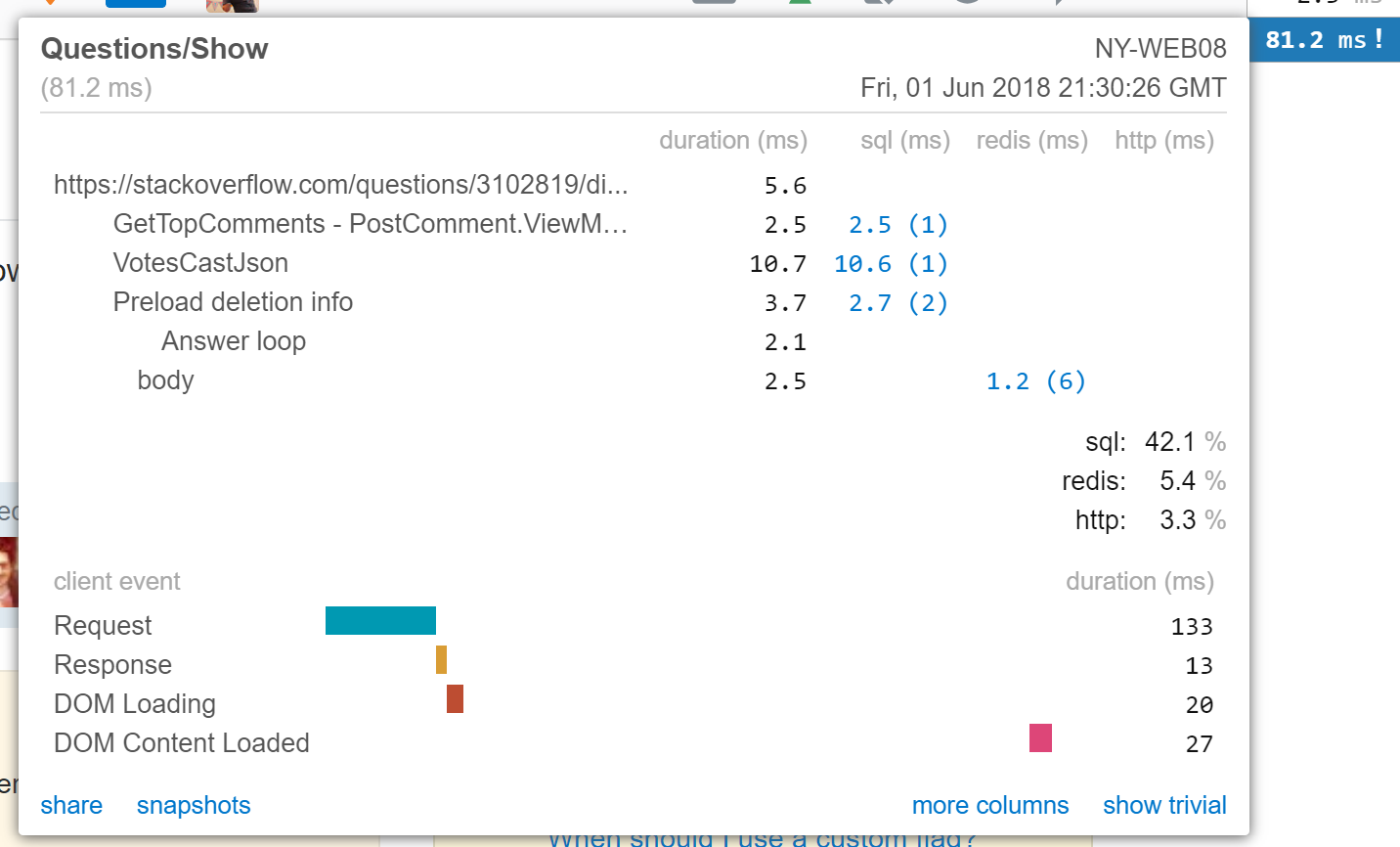
If all goes well, you'll see something like this:

demo

Database profiling

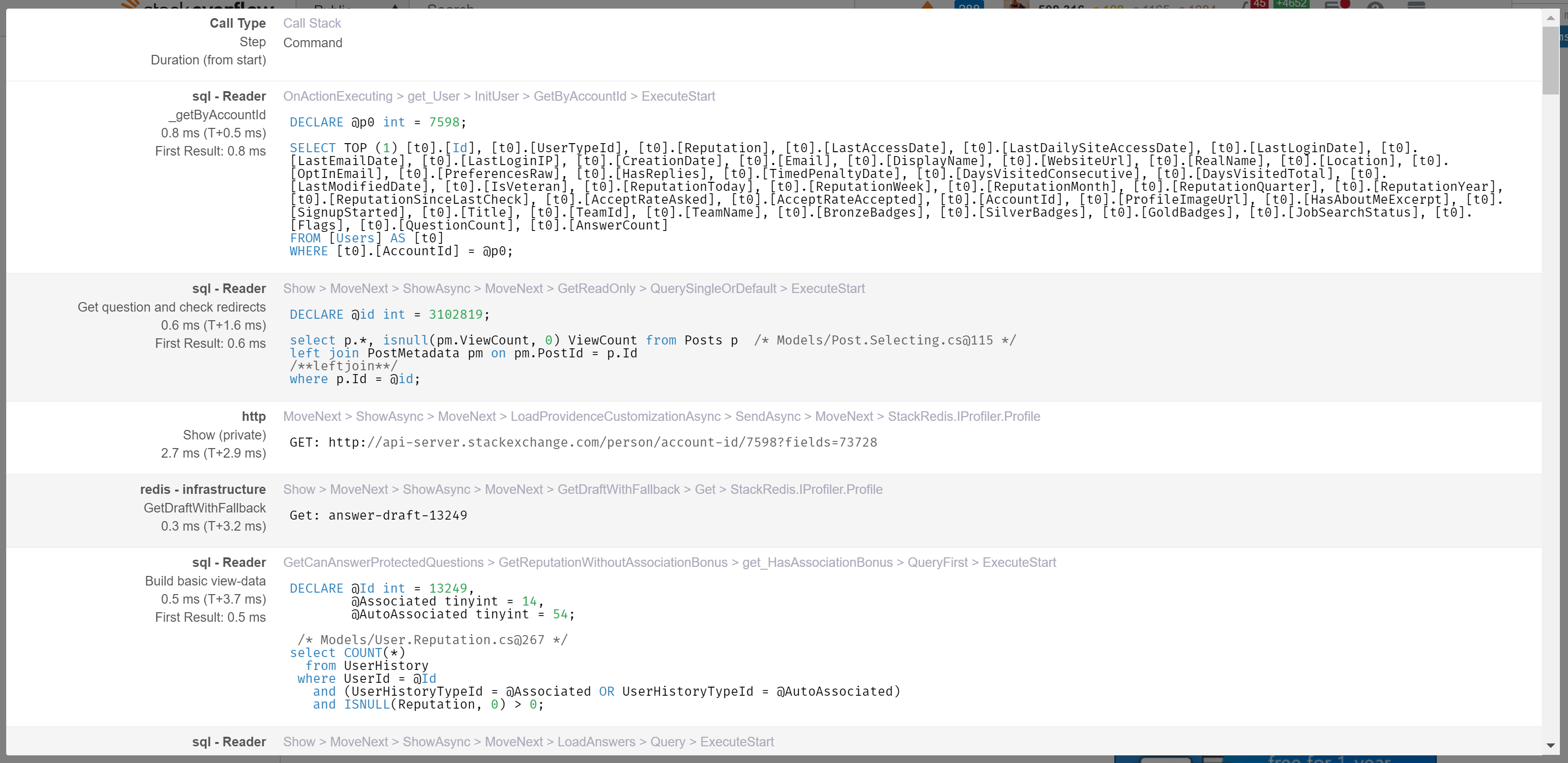
The profiler includes powerful and comprehensive database profiling capabilities. To enable wrap your database connection with a profiling connection.

The built in database profiler supports any kind of DbConnection. It also supports Entity Framework and Linq-2-SQL.

Usage:

Use a factory to return your connection:

public static DbConnection GetOpenConnection()
{
    var cnn = CreateRealConnection(); // A SqlConnection, SqliteConnection ... or whatever

    // wrap the connection with a profiling connection that tracks timings 
    return new StackExchange.Profiling.Data.ProfiledDbConnection(cnn, MiniProfiler.Current);
}

Entity Framework

  public static MyModel Get()
  {
     var conn =  new StackExchange.Profiling.Data.EFProfiledDbConnection(GetConnection(), MiniProfiler.Current);
     return ObjectContextUtils.CreateObjectContext<MyModel>(conn); // resides in the MiniProfiler.EF nuget pack
  }

LINQ-2-SQL

partial class DBContext
{
   public static DBContext Get()
   {
      var conn = new StackExchange.Profiling.Data.ProfiledDbConnection(GetConnection(), MiniProfiler.Current);
      return new DBContext(conn);
   }
}

Entity Framework - Code First

MVC Mini Profiler can be hooked in to an EF code first project. To do so:

Install the Nuget MiniProfiler.EF package:

Run: MiniProfilerEF.Initialize(); // in Application_Start

That's it ... you are done!

Note: EF Code First will store table metadata in a table called: !EdmMetadata. This metadata uses the provider as part of the entity key. If you initialized your provider as a non-profiled provider, you will have to re-build this metadata. Deleting all the rows from !EdmMetadata may do the trick, alternatively some smarter providers are able to handle this transparently.

EF 4.1 Update 1

Note, that EF 4.1 Update 1 (the version currently on NuGet) has a breaking change which throws the following error when specifying a connection string:

The given assembly name or codebase was invalid. (Exception from HRESULT: 0x80131047)

MiniProfiler attempts to resolve this issue by detecting the version of Entity Framework that it is running against. If this doesn't work (due to security exceptions), force the hack to be applied by replacing the Initialize() call with:

MiniProfilerEF.Initialize_EF42(); // in Application_Start

However, this is currently unable to profile SqlCE or Oracle databases.

To work around this an additional parameter has been added to the Initialize call:

Note, this should be a temporary solution until EF 4.2 is widely available.

Various features

(N+1) and duplicate query detection===

The profiler is able to detect and highlight areas where you are executing the same query multiple times with different parameters. This allows you to quickly find queries you may be able to batch.

N+1

What about AJAX?

The profiler is also able to log all ajax calls:

ajax calls

You will get one profile timing per ajax call.

Abandoning a profiler session

Often at the beginning of a session you may not know if a user should or should not be allowed to profile, a common pattern for dealing with such issues is:

protected void Application_BeginRequest()
{
   MvcMiniProfiler.MiniProfiler.Start();  
}
protected void Application_AuthenticateRequest(Object sender, EventArgs e)
{
  if(!CurrentUserIsAllowedToSeeProfiler())
  {
    MvcMiniProfiler.MiniProfiler.Stop(discardResults: true);
  }
}

Troubleshooting

MiniProfiler isn't showing

<system.webServer>
  ...
  <handlers>
    <add name="MiniProfiler" path="mini-profiler-resources/*" verb="*" type="System.Web.Routing.UrlRoutingModule" resourceType="Unspecified" preCondition="integratedMode" />
  </handlers>
</system.webServer>

Where is MiniProfiler used?

MiniProfiler was designed by the team at Stack Overflow. It is in production use there and on the Stack Exchange family of sites.

Also used at:

(if you are using this in production please let us know and we will add you to the list)

Frequently Asked Questions

If you have other questions, please visit Stack Overflow.